
Troubleshoot the terminal UI
Most problems with the TUI are about the terminal it runs in. For network problems, such as no I-Am replies or a timeout, see Troubleshooting.
The terminal is too small
Section titled “The terminal is too small”The TUI needs at least 80 columns and 24 rows. Below that it shows a notice until the window grows; Ctrl-C twice quits from there.
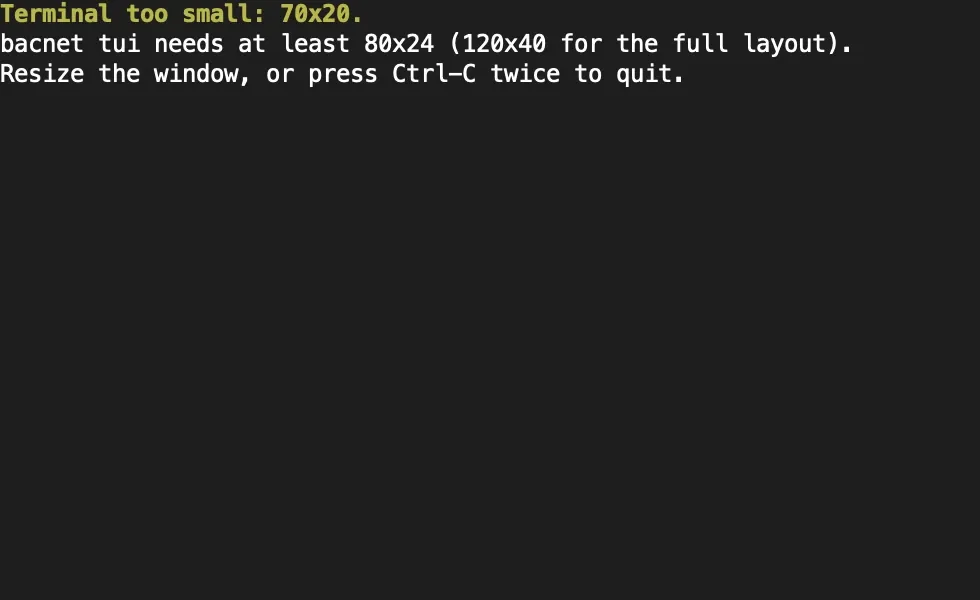
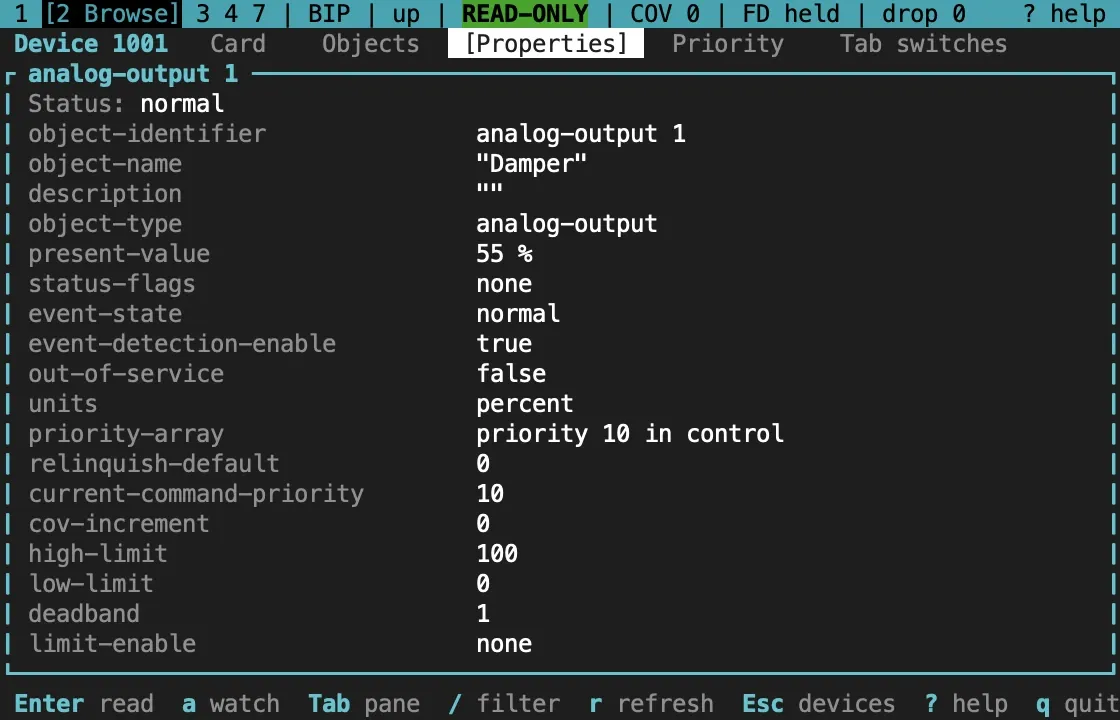
From 120 columns the tables use their wide columns and the browser shows its panes side by side; from 40 rows the log pane gets more room. Between 80 and 120 columns the browser shows only the focused pane, and Tab moves to the next one. The bar under the status line names the panes.
It won’t open
Section titled “It won’t open”bacnet tui needs stdin and stdout to be a terminal, and TERM must not be dumb. Otherwise it exits with status 1 and a hint on stderr, and writes nothing to stdout. Plain bacnet in the same place prints the usage and exits with status 2.
- In a script or a pipe, use the one-shot commands with
--json, such asbacnet discover --json. bacnetprints the usage at a terminal. Check for--no-tuiand theBACNET_NO_TUIvariable, and that the build has the TUI:bacnet tuisays how to rebuild when it was left out.- On Windows, use Windows Terminal or the classic console (conhost). mintty, Git Bash and other MSYS terminals refuse raw mode, and the TUI exits with the same hint.
Colours
Section titled “Colours”Colour is never the only signal: status badges such as [ALM] and [OOS], the > priority marker and the level names are text. To turn colour off, set NO_COLOR to any non-empty value:
NO_COLOR=1 bacnet tuiStyles then fall back to bold, dim and reverse video. The TUI uses the terminal’s own palette, so if a colour is hard to read, change the terminal’s theme or use NO_COLOR.
Over SSH
Section titled “Over SSH”The TUI runs well on a machine already on site, over SSH. Ask for a terminal when you run it directly:
ssh -t engineer@site-gateway bacnet tui --profile plant-aOn a slow link, --fps 5 lowers the redraw rate. Screens that aren’t changing aren’t redrawn at all.
Inside tmux or screen
Section titled “Inside tmux or screen”The TUI works inside tmux and GNU screen. Two settings help in tmux:
- tmux waits half a second by default to tell Esc from the start of a key sequence, so Esc feels slow. Set
set -sg escape-time 10in~/.tmux.conf. - Use a 256-colour terminal type, such as
set -g default-terminal tmux-256color.
The terminal was left in a strange state
Section titled “The terminal was left in a strange state”The TUI restores the terminal when it exits, when it panics, and when a signal ends it (SIGINT, SIGTERM or SIGHUP; console close or Ctrl-Break on Windows). If a terminal is still left without echo or in the alternate screen, reset restores it.
Lshows the log pane, with the latest of up to 1,000 lines.--log-file FILEalso appends every line to a file, which survives the session.-vand-vvraise the level to debug and trace.
A profile’s workspace also holds audit.jsonl, the record of every write session, and ledger.json, the changes still in effect. See Write safely.
Other symptoms
Section titled “Other symptoms”| Symptom | What to check |
|---|---|
| A red error in the footer after connecting | The connection failed. p opens the profile to fix it, c retries |
drop counts up |
The UI fell behind a burst of traffic. The tables are refreshed from the client afterwards; lower --fps or narrow the Who-Is |
W says another process holds the profile |
Another bacnet tui has that profile open, or bacnet mcp serve is writing through it. Only one process may change its ledger at a time |
| A profile edited by hand doesn’t change | Press r in the profile dialog to reload it |
| No profiles where you expect | Check the config directory the dialog shows, and BACNET_CONFIG_DIR |
| A screen reader can’t follow the TUI | The TUI redraws a whole screen at a time. Use the one-shot commands with --json or --format table |
Sources and release scope
Section titled “Sources and release scope”These pages describe v0.15.0. Source review is not a claim of hardware qualification.
Requirements and exit status · Terminal setup and restore · TUI design notes.
CONTINUEBack to the overviewInstall, open, and read the TUI's layout.Release v0.15.0 ·Build and integrate. Pre-1.0 APIs; partial conformance.Support & limitations