
Monitor and join MS/TP
An MS/TP trunk is a token ring on RS-485: every master passes the token to the next, and a station with the wrong MAC or Max_Master can disturb everyone on the wire. So the TUI has two modes. The monitor listens and sends nothing. A participant joins the ring as a master station. Start with the monitor on a trunk you don’t know.
MS/TP needs a build with the serial feature and an RS-485 adapter that switches direction by itself. The docs lab has no trunk, so most shots on this page are frames from the TUI’s snapshot tests, with simulated stations and no colour.
Listen first: the monitor
Section titled “Listen first: the monitor”bacnet tui --mstp-monitor /dev/ttyUSB0 --mstp-baud 38400The monitor opens the port to listen only. It builds no client and drops the port’s write side as it opens, so it can’t transmit. The status bar reads listen only and the level is PASSIVE. It takes --mstp-baud and --mstp-max-info-frames, and refuses --mstp, --mstp-mac, --mstp-max-master, another transport’s flags and --profile. On Linux it also takes --mstp-rt-priority and --mstp-cpus, but the monitor itself runs normally: only a station you join from it gets them (see Real-time scheduling).
The MS/TP screen opens first. Tab moves between five views: Stations, Token ring, Findings, Errors and Scan. z counts from now, Space pauses or follows, and x stops the monitor.
Stations
Section titled “Stations”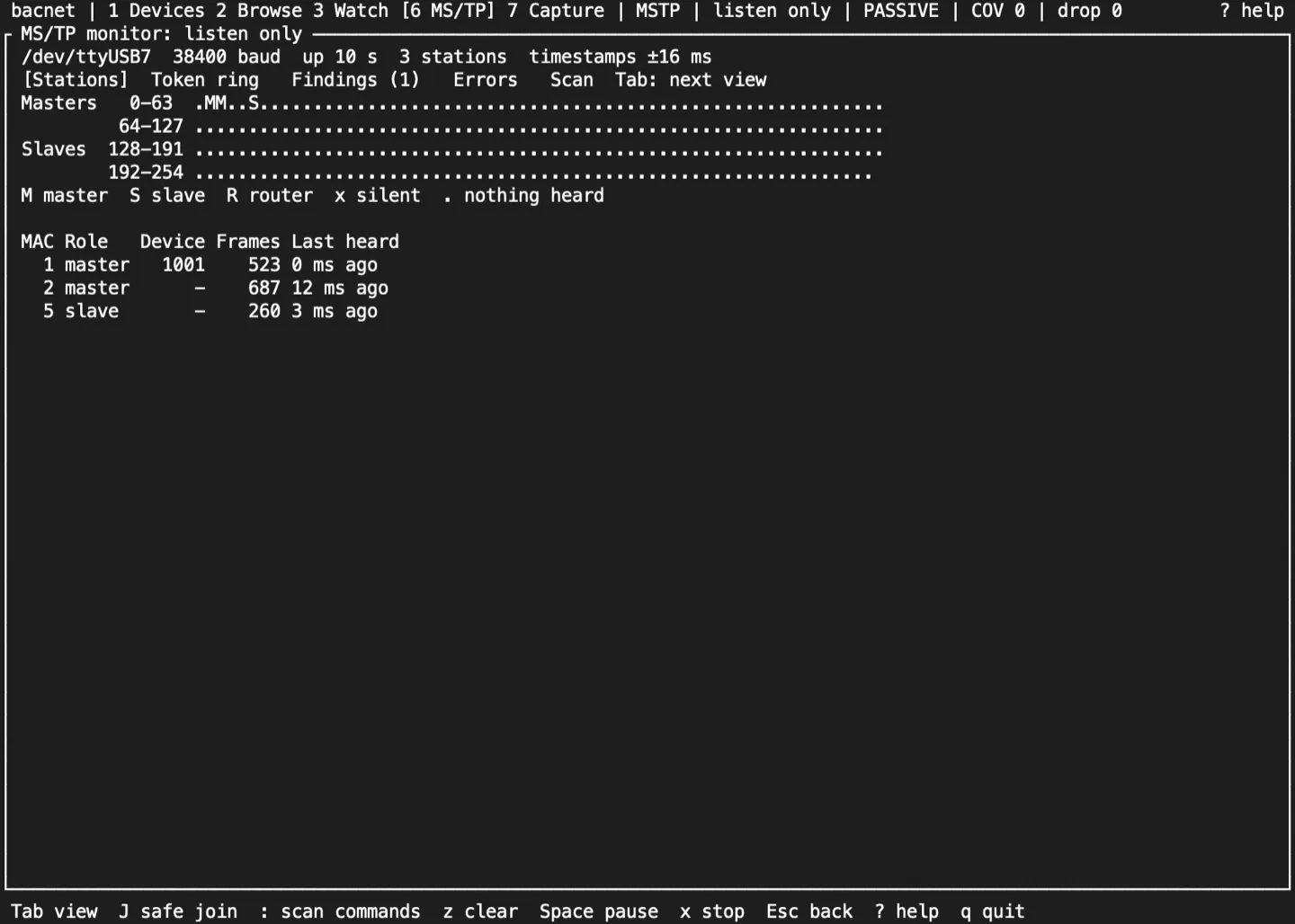
A map of every address: masters 0 to 127 and slaves 128 to 254. Each address is marked:
| Mark | Meaning |
|---|---|
M |
A master: it passes the token or polls for masters |
S |
A slave: it only answers |
R |
A router: it sends routed or network-layer messages |
x |
Silent: heard before, or sent requests, but quiet for 10 s |
. |
Nothing heard |
Below the map is a row per station: its role, its device instance once its I-Am is seen, how many frames it sent, and when it was last heard. From 160 columns the map and the table sit side by side. When the stations don’t all fit, the table’s last row says how many more there are (+N more).
Token ring
Section titled “Token ring”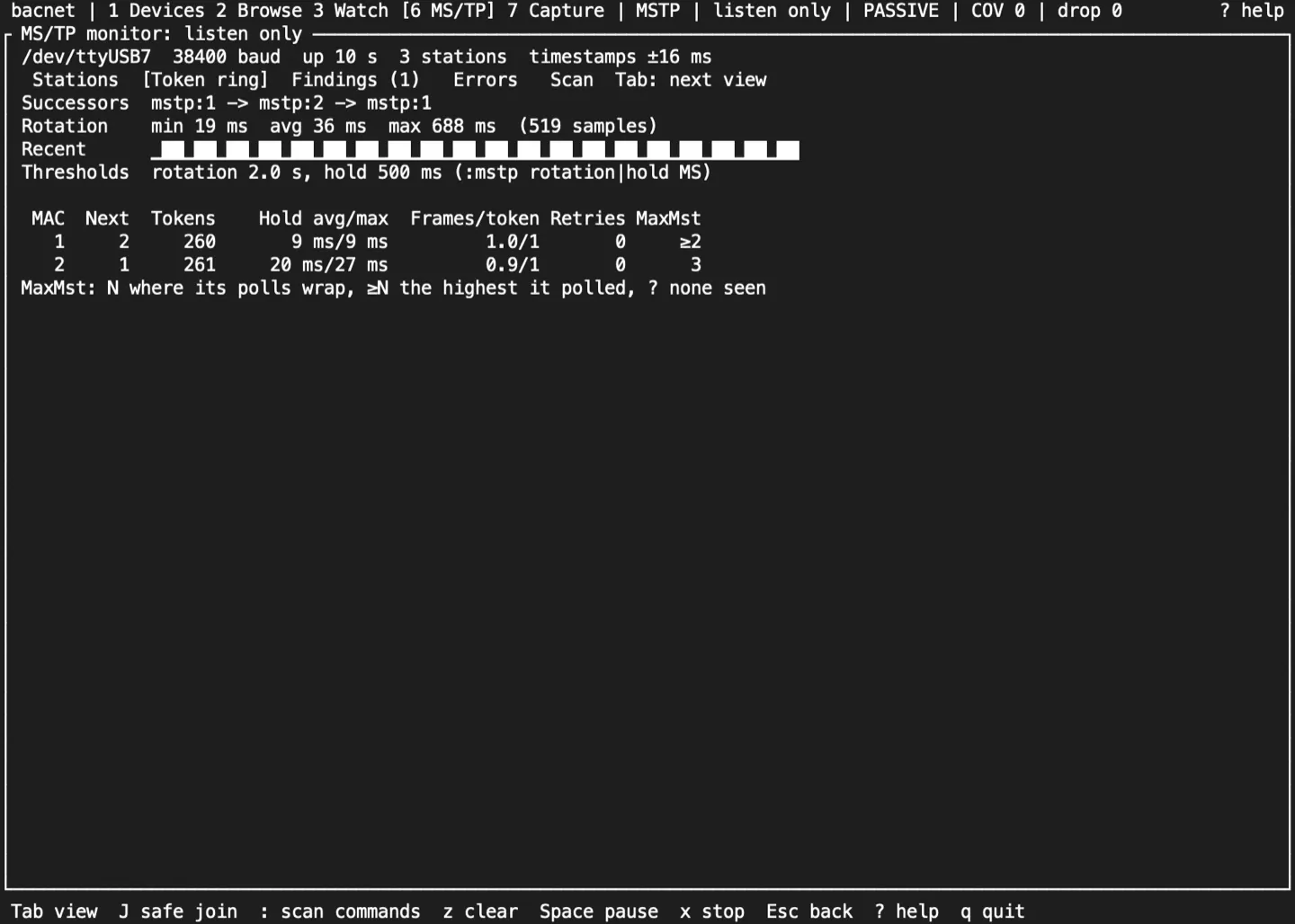
The successor chain, the token’s rotation time (shortest, mean and longest, with a sparkline of recent rotations), and for each master: the tokens it got, how long it held each, the frames it sent per token, token retries, and its Max_Master as its polls show it. N means its polls wrap at N, ≥N is the highest it has polled so far, and ? means no poll seen yet.
Findings
Section titled “Findings”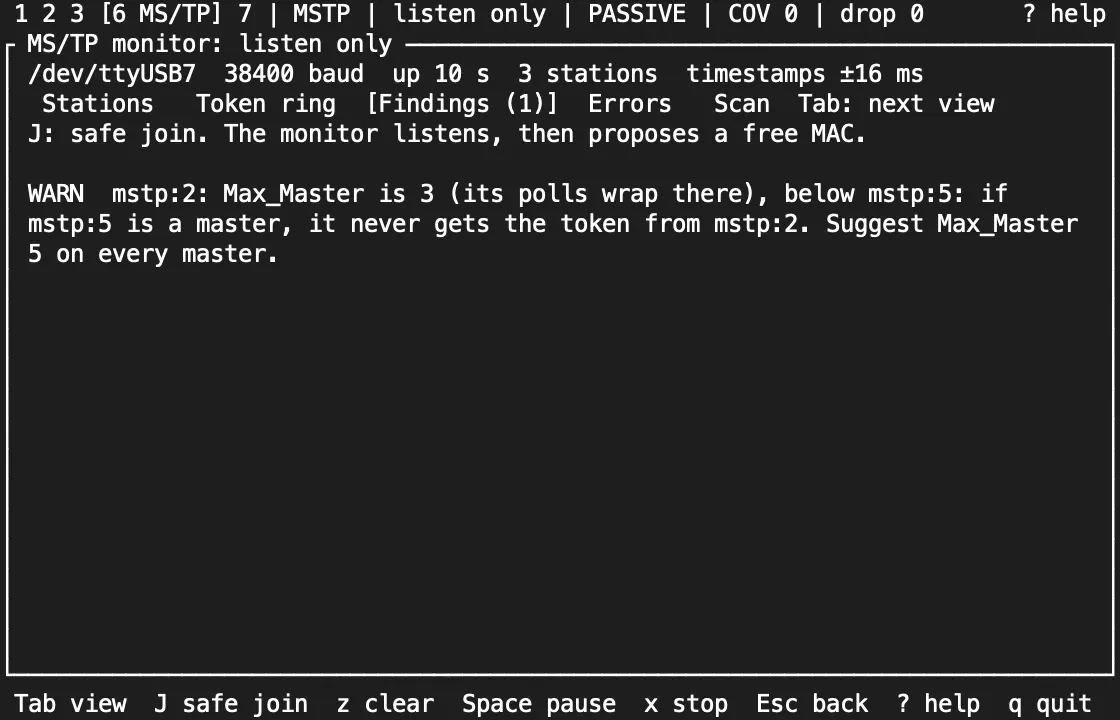
The monitor flags:
- a Max_Master that leaves a station out, only when the polls show its exact value;
- a Max_Master more than 8 above the highest station;
- a gap of more than 8 empty addresses between two masters;
- a token rotation over 2 s, and a token held over 500 ms.
Each comes with a suggestion. The two 8s are rules of thumb, not values from the standard. :mstp rotation MS and :mstp hold MS move the time thresholds.
Errors
Section titled “Errors”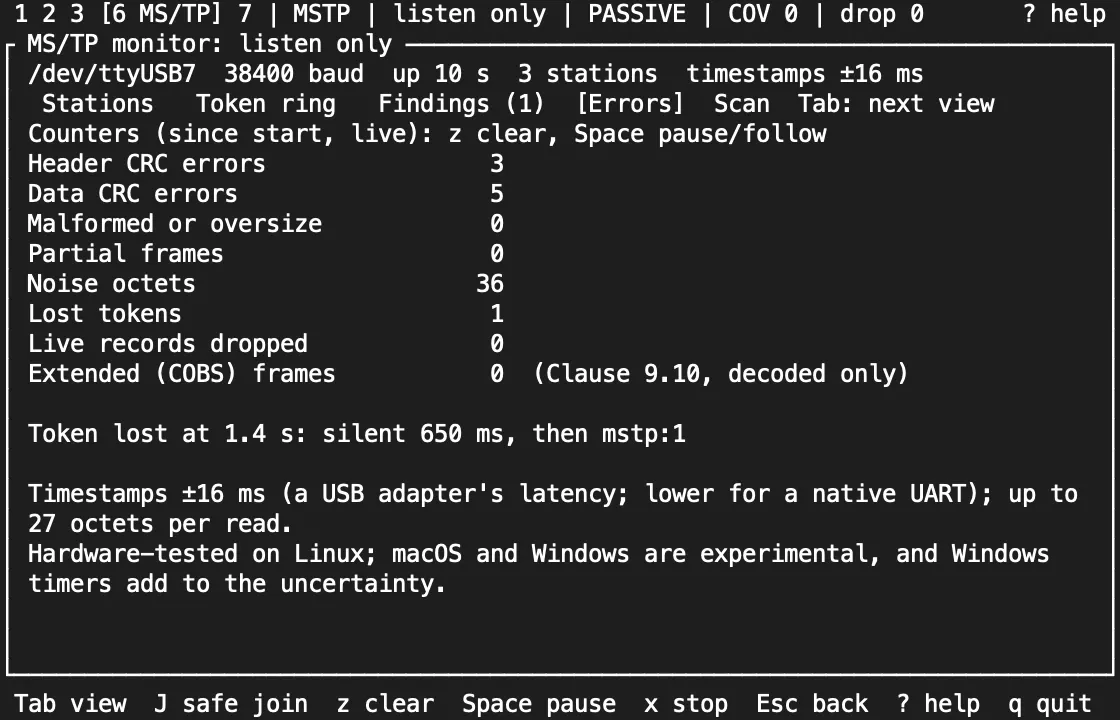
Header and data CRC errors, malformed or oversize frames, partial frames, noise, lost tokens with when and who started the ring again, and extended (COBS) frames, which are decoded but not interpreted (Clause 9.10). Timestamps are only as good as the adapter: the screen shows the 16 ms a USB adapter can add.
Scan: find the baud rate
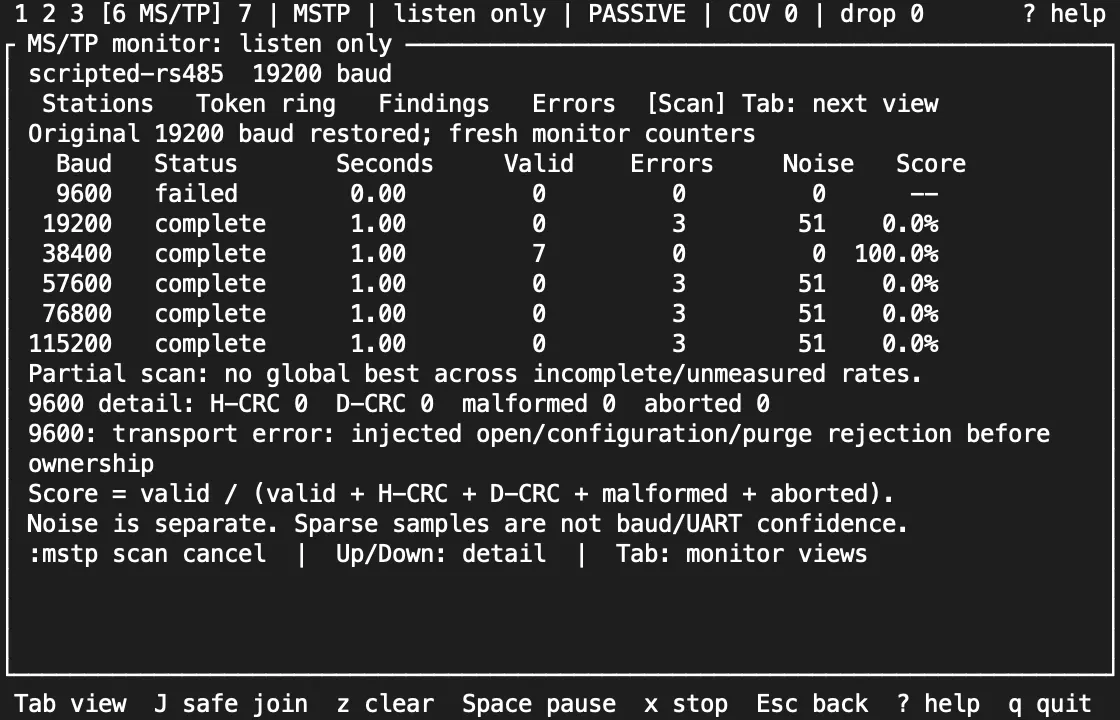
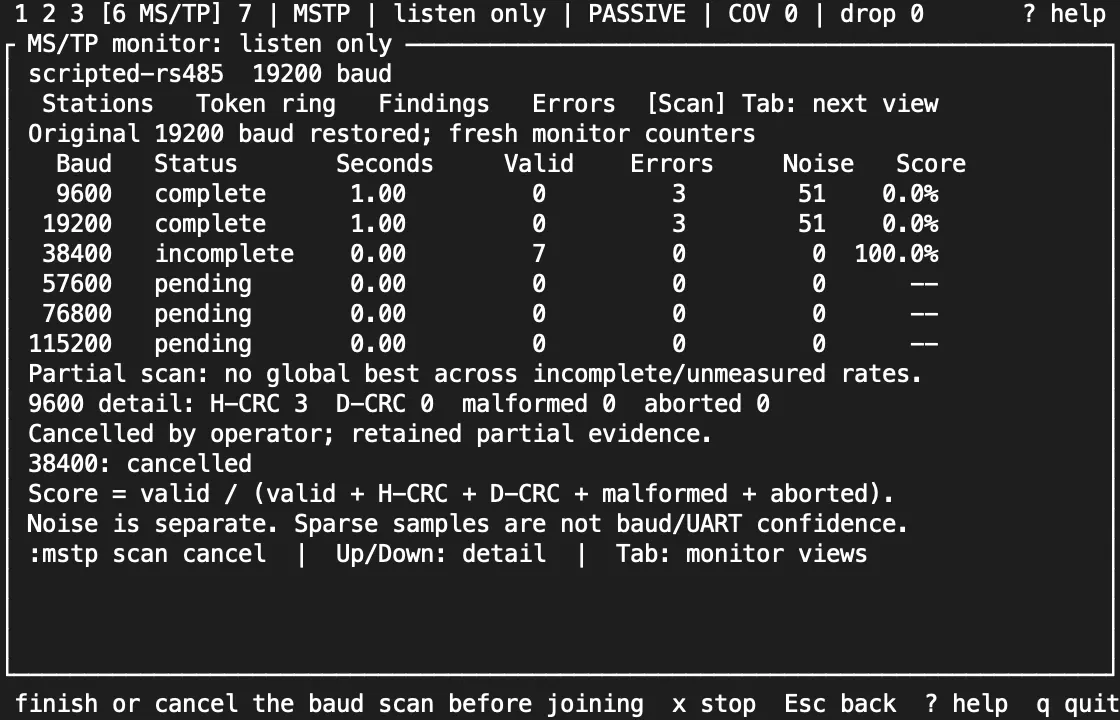
Section titled “Scan: find the baud rate”When you don’t know a trunk’s baud rate, :mstp scan SECS listens at each of 9600, 19200, 38400, 57600, 76800 and 115200 baud in turn (Clause 9.2.3), for 1 to 3600 whole seconds each. It stays receive-only throughout: it closes the port before reopening it at the next rate, starts each rate with fresh counters and an emptied input buffer, and never builds a participant. The Scan view shows the progress and, for each rate, the time actually measured, the valid frames, the decoder errors and the noise. On a narrow screen Up and Down pick the row whose errors are broken down; a wide screen shows them all.
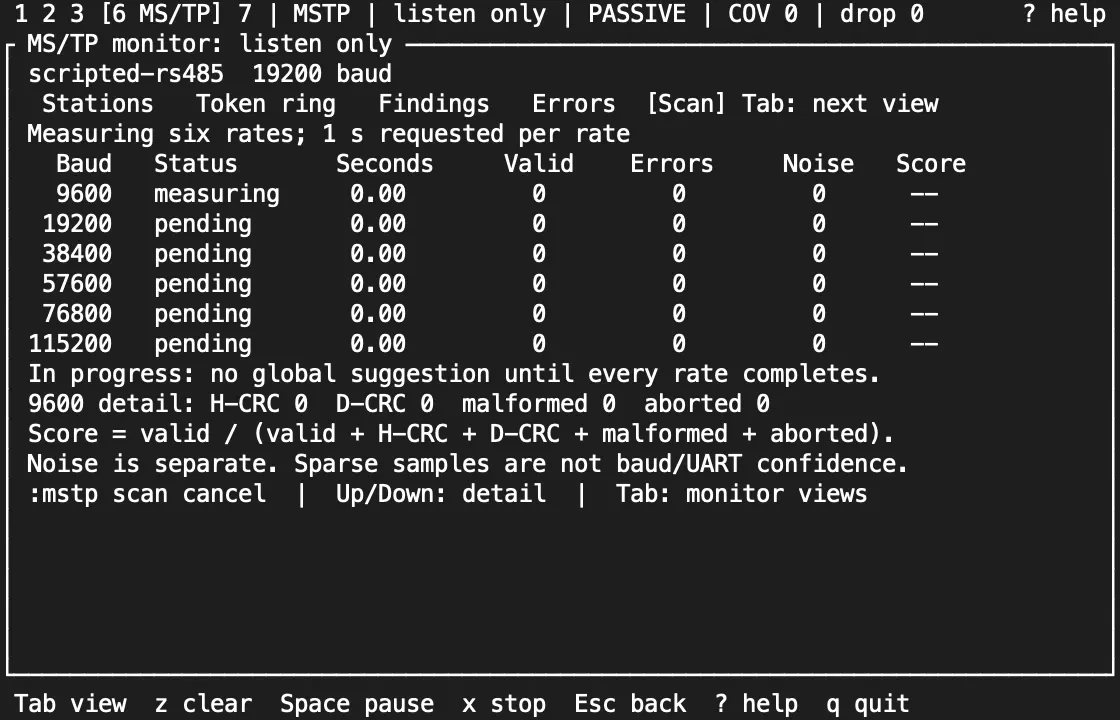
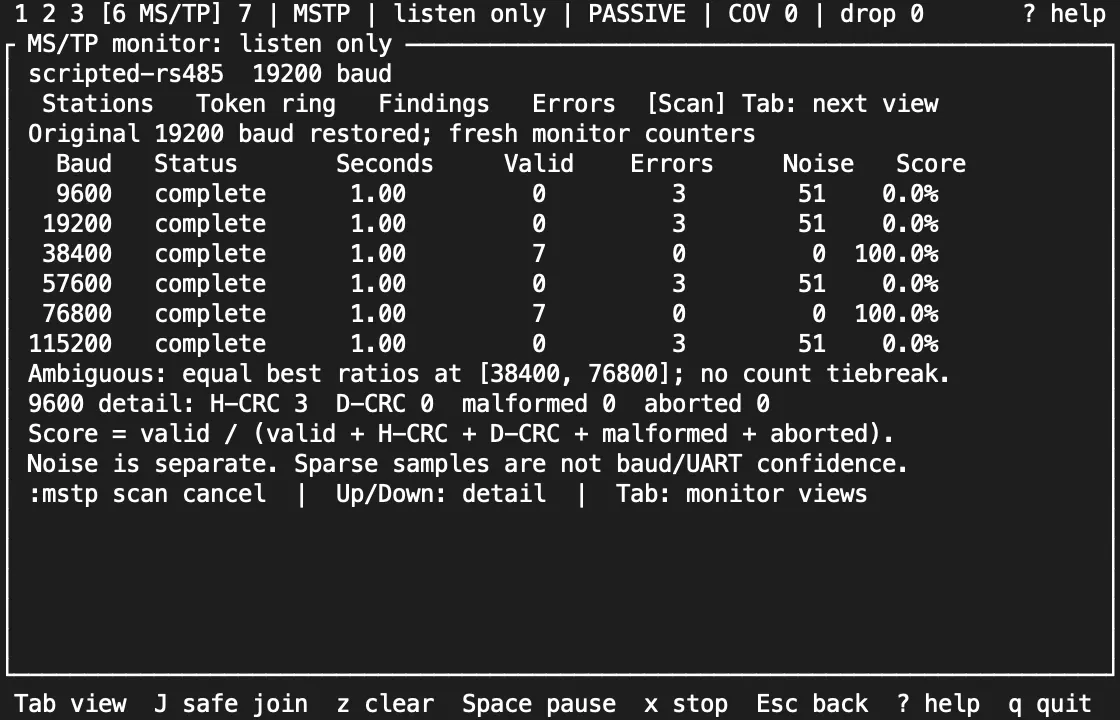
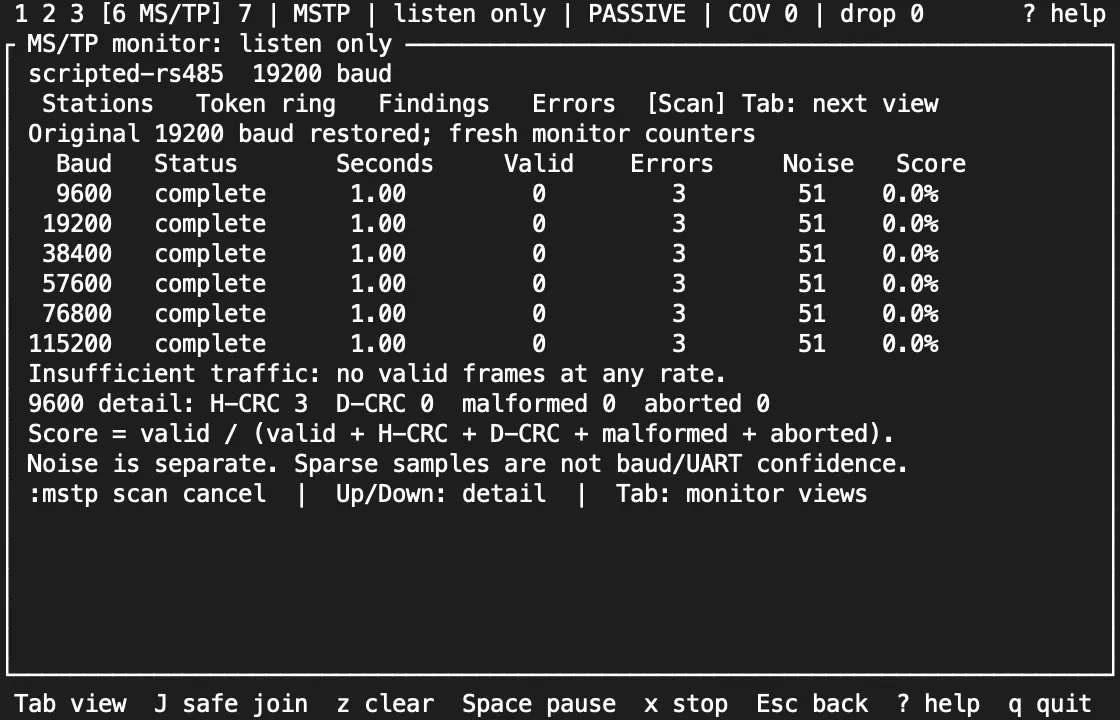
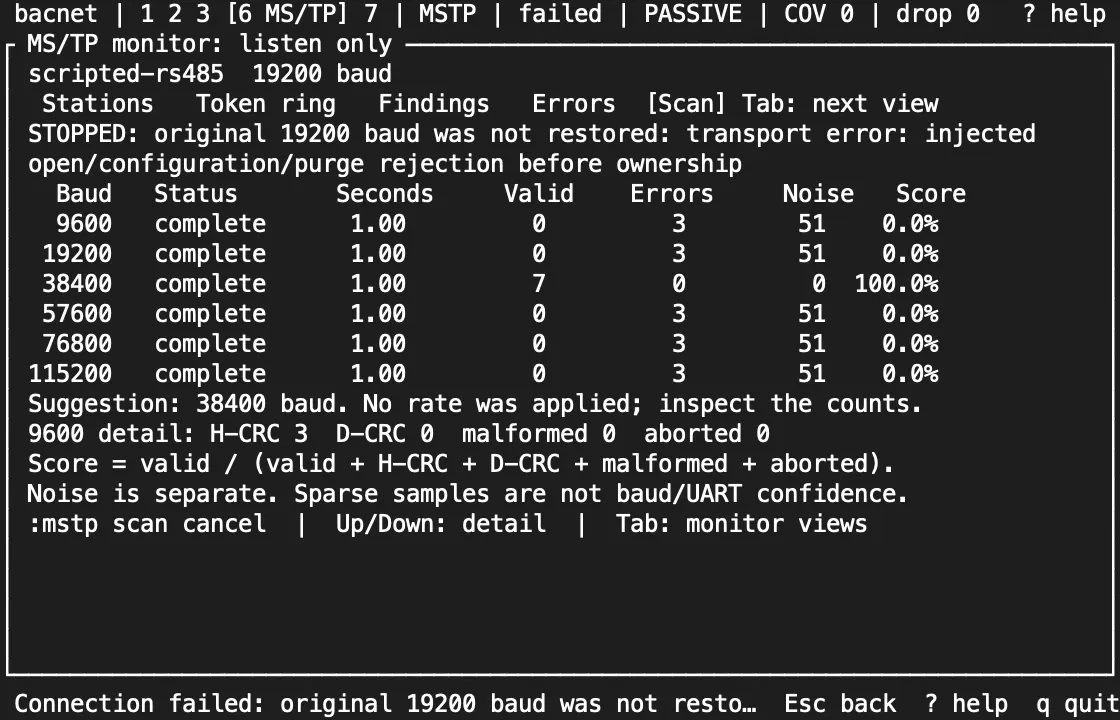
Each rate scores valid / (valid + header CRC + data CRC + malformed + aborted); noise octets are counted apart. The scan suggests the best-scoring rate only when it heard at least one valid frame there. Two rates with the same best score are reported as ambiguous, however many frames they saw, and no valid frames at all as insufficient traffic. A scan that was cut short, or whose counters saturated, suggests nothing. The counts stay on screen because a short sample is weak evidence: it doesn’t prove the trunk’s baud rate, and it doesn’t qualify the adapter or the wiring.
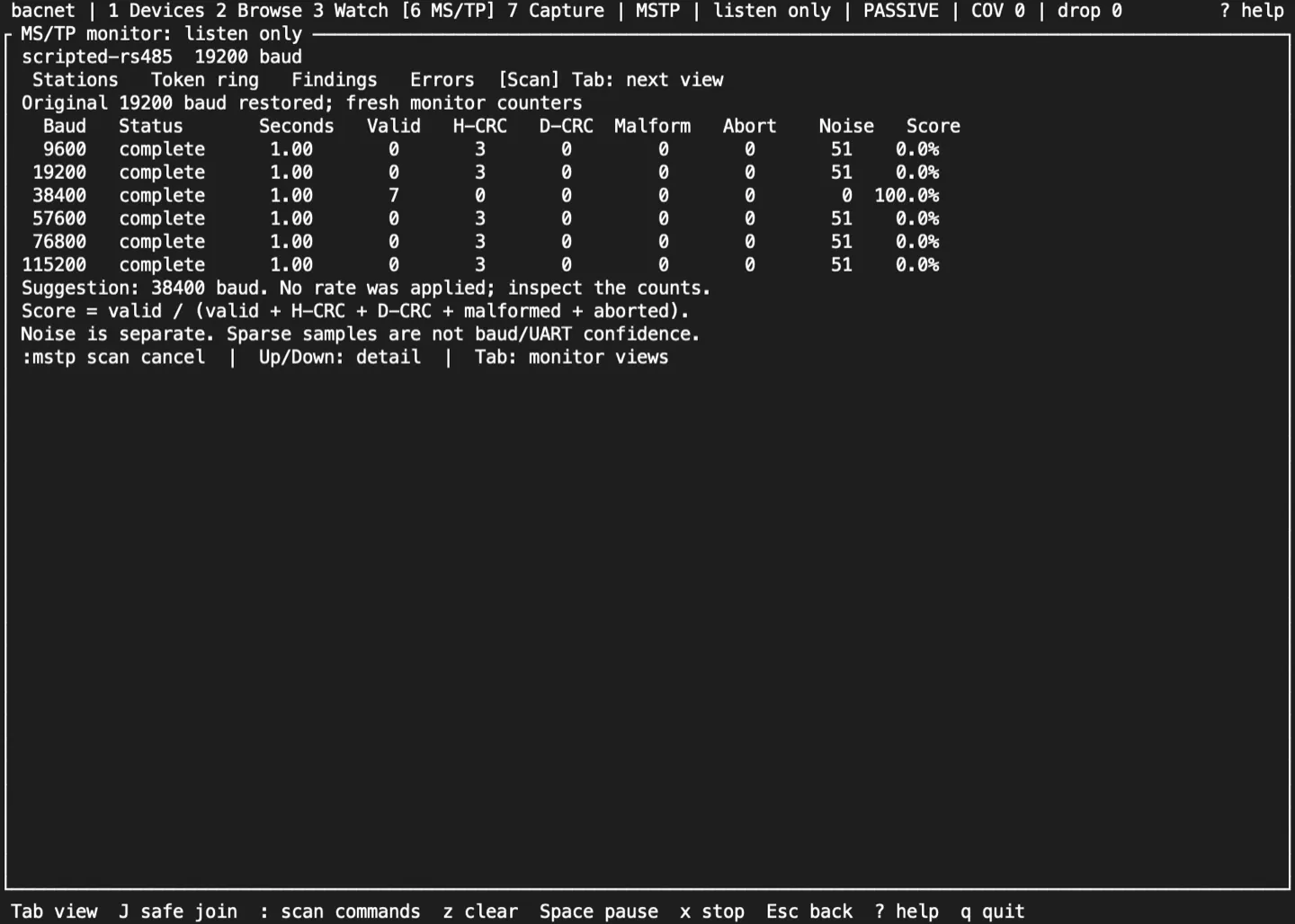
When the scan finishes, or :mstp scan cancel stops it, the monitor goes back to the baud rate it was started with, with fresh counters. The suggestion stays on the Scan view to read; it is never applied, never joins a trunk and never changes a profile. Disconnecting or quitting during a scan closes the port without reopening it. If the port can’t be reopened at the original rate, the monitor shows Stopped and keeps the scan’s results, and it opens no other port while the old one may still be held.
While a scan runs, the safe-join proposal is cleared and J is refused. The scan also ends the Capture screen’s subscription: rows captured before it stay, frames heard during the scan are not added, and you reopen Capture once the monitor is back to start capturing again.
The shots below come from tests that drive the TUI with scripted traffic. They show how the suggestion is chosen, not how a real adapter behaves at a wrong baud rate.
Safe join
Section titled “Safe join”J starts the safe join from the monitor. It listens for 10 s (:mstp listen SECS changes that), then proposes:
- a free MAC that a master already polls, and that is within every Max_Master the line shows;
- a Max_Master that reaches every station heard;
--mstp-max-info-frames.
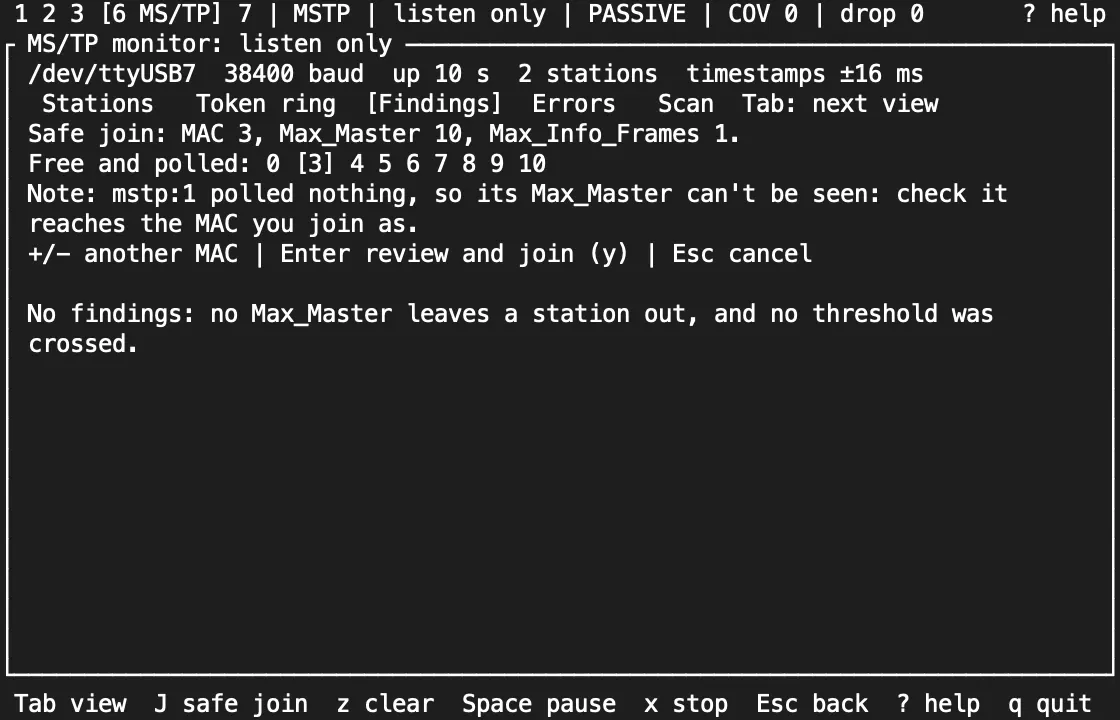
+ and - pick another free MAC. Enter opens the join confirmation, and y there stops the monitor, closes the port, and joins on it, so only one of them holds the port at a time. Enter and y each check the proposal against the newest reading first: if a station has appeared at that MAC, the dialog closes and the wizard proposes again.
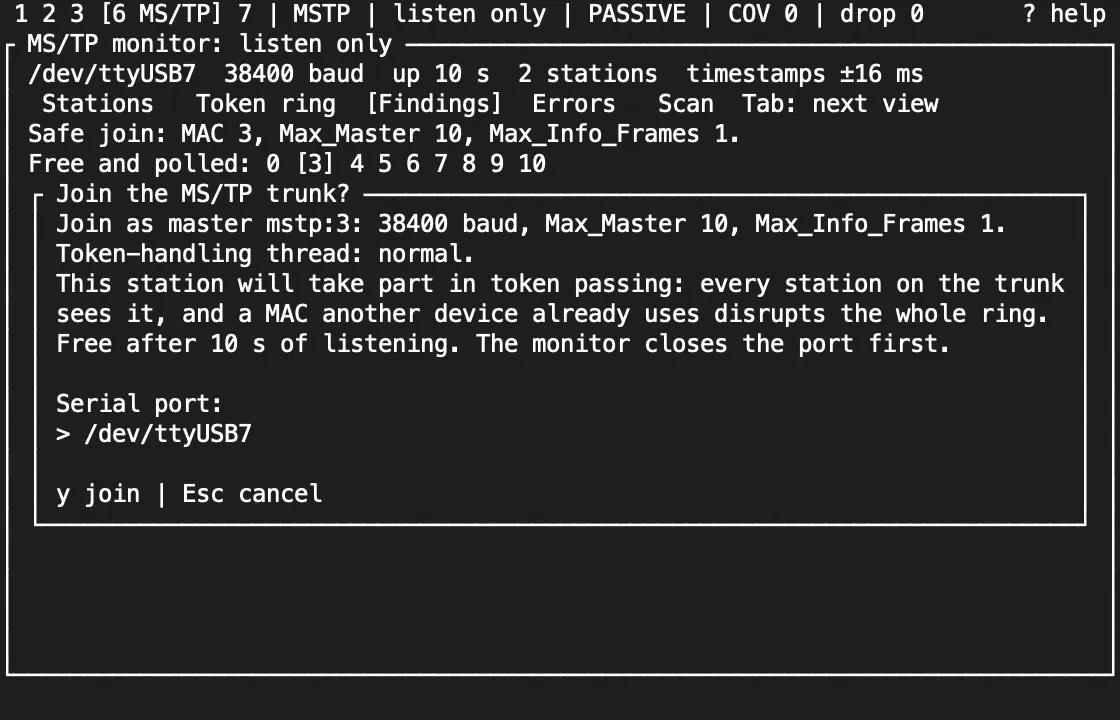
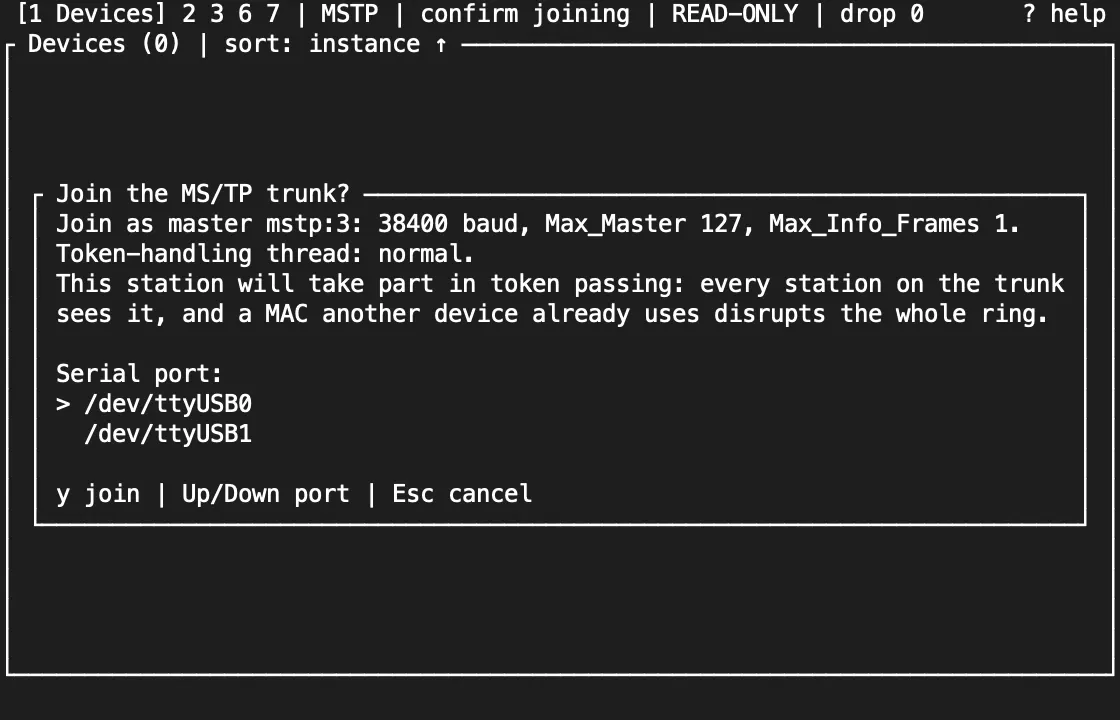
The confirmation also shows how the station’s token handling will be scheduled: normal, or the --mstp-rt-priority and --mstp-cpus settings. From then on the session is a participant at READ-ONLY. A join the transport refuses leaves the monitor listening, with the reason shown. If the join fails after the monitor closed the port, c confirms a join again; to listen again, quit and start with --mstp-monitor. With --passive the wizard proposes a MAC but never joins.
Join directly: the participant
Section titled “Join directly: the participant”bacnet --mstp /dev/ttyUSB0 --mstp-mac 3 tuiJoining adds a master to the token ring, which every station notices, so the TUI asks before it opens the port. The dialog states the station, baud rate, Max_Master and Max_Info_Frames, and lists the serial ports: the one you gave first, then the others bacnet mstp-ports finds (an MS/TP profile offers its own port only). Up and Down choose the port. Only y joins; Esc goes back to the profile, or quits a flags-only session. Every later join, such as c after a disconnect, asks again. On a profile, each join you confirm is recorded in the profile’s audit log (audit.jsonl) with the port, station, baud rate and thread settings before the port opens.
Real-time scheduling (Linux)
Section titled “Real-time scheduling (Linux)”bacnet --mstp /dev/ttyUSB0 --mstp-mac 3 --mstp-rt-priority 40 --mstp-cpus 3 tui--mstp-rt-priority N runs the station’s token handling under SCHED_FIFO at priority N (1 to 99; it needs CAP_SYS_NICE or ulimit -r of at least N), and --mstp-cpus pins it to those CPUs. They apply to every station the session joins, from flags, a profile or the monitor, and never to the passive monitor. A setting the kernel won’t apply fails the join with the reason. The MS/TP screen’s Thread row shows what was applied, such as FIFO 40, CPU 3. Compare the timer lateness with and without them: they lower scheduling delay but don’t guarantee timing. Keep an MS/TP trunk reliable on Linux shows how to compare runs. On macOS and Windows both flags are refused.
As a participant, the MS/TP screen shows this station and its counters:
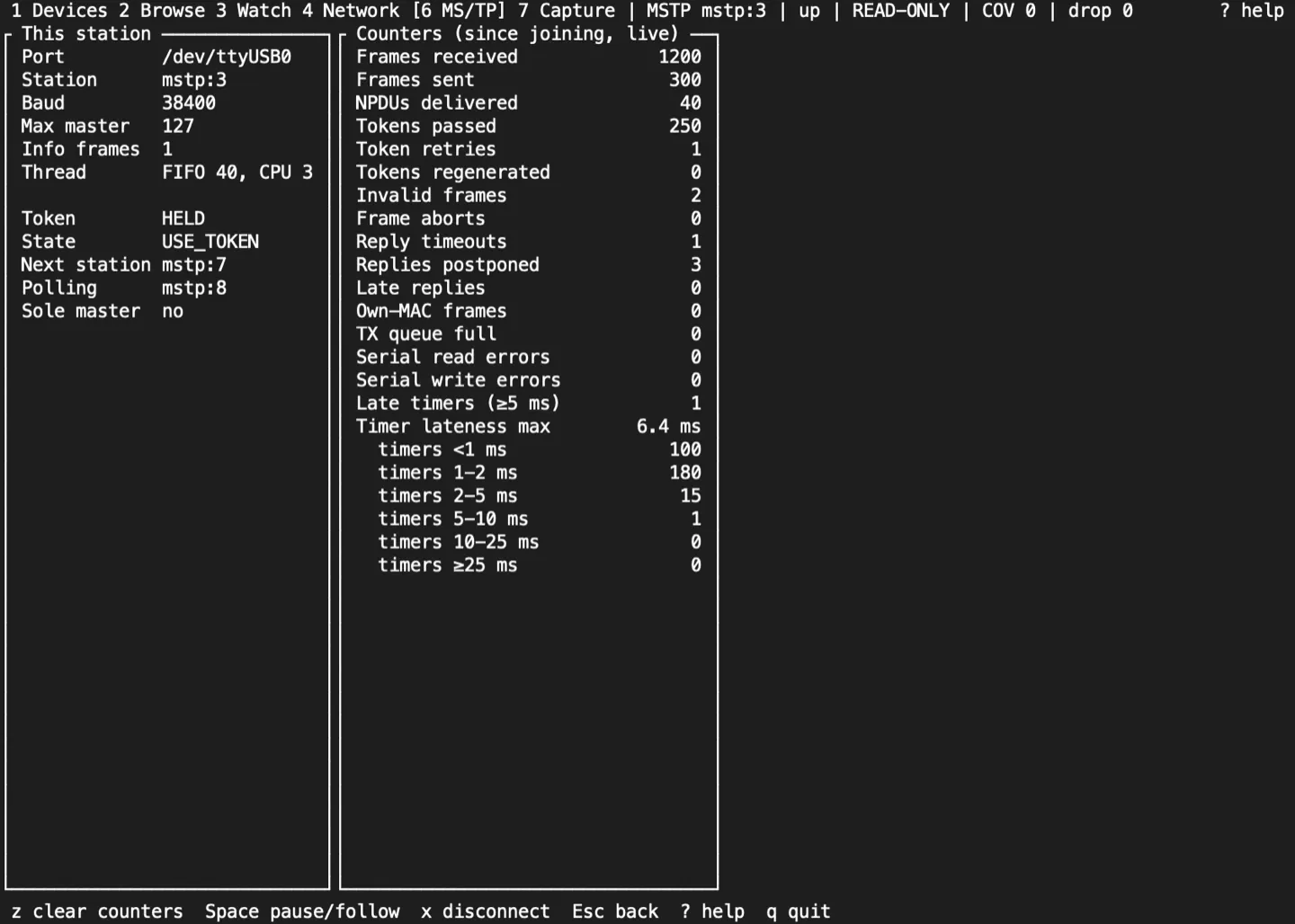
- This station: port, MAC, baud, Max_Master and Max_Info_Frames; whether it holds the token; the master state machine’s state; the next station and the one it is polling; and a warning when it believes it is the only master.
- Counters, read once a second: frames received and sent, NPDUs delivered, tokens passed, retried and regenerated, invalid and aborted frames, reply timeouts, postponed and late replies, frames from another station with this MAC, transmit-queue refusals, serial errors, and timer lateness: how many timers fired 5 ms or more late, the largest lateness and, in a tall enough pane, the count in each band from under 1 ms to 25 ms or more. Tokio’s timer alone fires up to about 2 ms late, so the first two bands are ordinary.
z counts from now (the transport keeps its totals; the screen shows the change since), and Space pauses or follows. Devices on the trunk are discovered, browsed and written as on any transport, at mstp:N addresses.
Serial adapters
Section titled “Serial adapters”bacnet mstp-ports lists the ports without opening any, and the join dialog offers the same list. Its order puts the likely choice first: USB adapters before other ports. On Linux an adapter with a stable /dev/serial/by-id name is listed once, by that name, rather than also as the ttyUSB device it points to. On macOS it leaves out the tty. twin of each port, Bluetooth ports and the debug console.
| Platform | Port names | Notes |
|---|---|---|
| Linux | /dev/serial/by-id/..., or /dev/ttyUSB0 |
Join the dialout group (uucp on Arch) and log in again. Set an FTDI adapter’s latency timer to 1 ms |
| macOS | /dev/cu.usbserial-... |
Use the cu. device, not tty.: it opens without waiting for a carrier signal |
| Windows | COM3 and so on |
Use Windows Terminal or conhost |
sudo usermod -aG dialout "$USER"echo 1 | sudo tee /sys/bus/usb-serial/devices/ttyUSB0/latency_timerAn FTDI adapter holds received octets for up to its latency timer, 16 ms by default, and that delay counts against the time a station has to answer a token or a poll. The setting lasts until the adapter is unplugged; a udev rule makes it permanent.
The monitor and the participant have hardware evidence only on Linux. On macOS and Windows the serial feature builds and passes CI with pseudo-terminal tests, but no USB RS-485 adapter has been tested there yet: treat them as experimental. On-wire timing is not qualified on any adapter yet. See MS/TP and RS-485 for the wider qualification picture.
Sources and release scope
Section titled “Sources and release scope”These pages describe v0.15.0. Source review is not a claim of hardware qualification. MS/TP is ASHRAE 135 Clause 9.
MS/TP monitor and safe join reference · MS/TP flags and adapters · On-wire qualification work.
CONTINUEKey referenceEvery key and command, screen by screen.Release v0.15.0 ·Build and integrate. Pre-1.0 APIs; partial conformance.Support & limitations